

I’ve written about this app before, but it’s been a couple of years, so I thought it was worth revisiting. For one thing, it has a new name and logo. More importantly, I recently found myself a little turned around while walking, and it literally pointed me in the right direction.
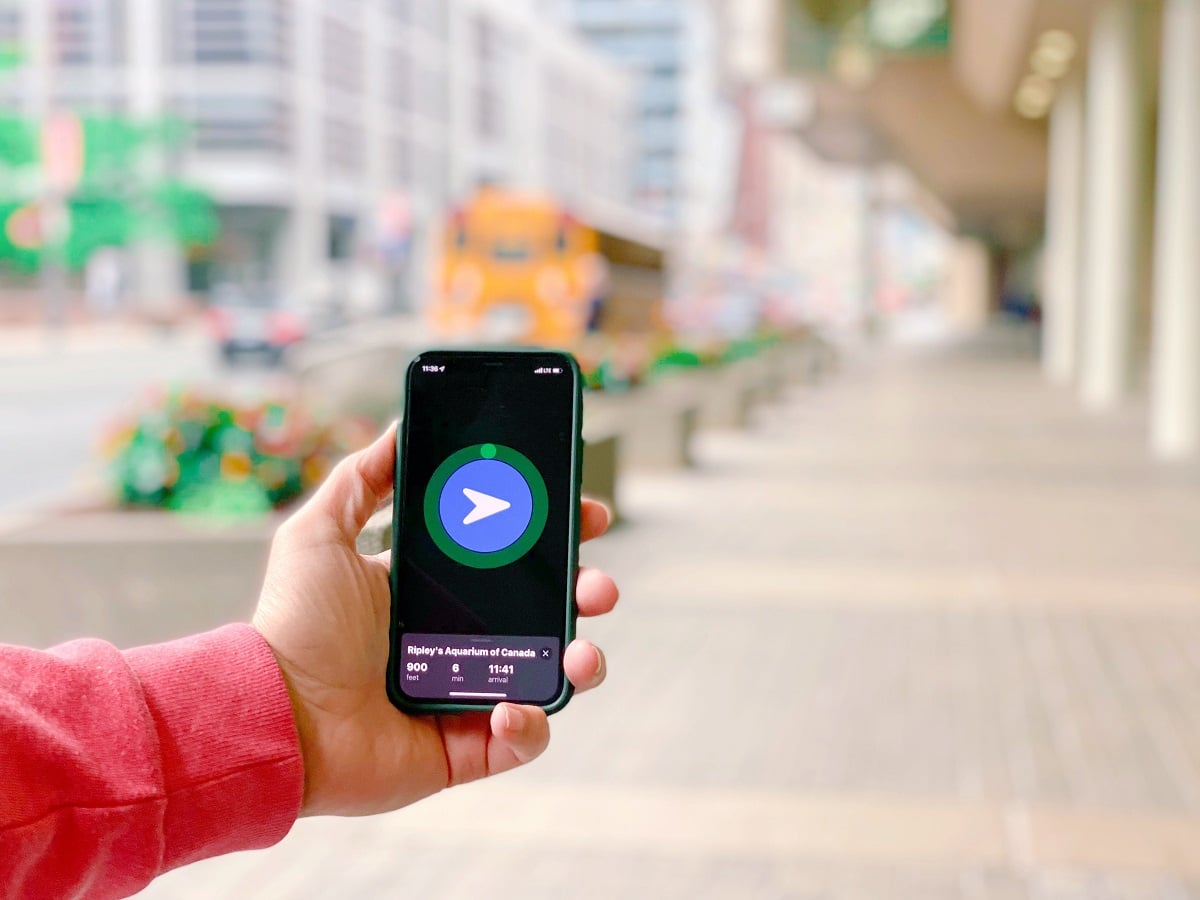 The app was originally called Mapless, but it has since been rebranded as Walk Wellbeyond. I’ll admit I preferred the old name and logo, but sometimes a rebrand just takes a little getting used to. I felt the same way when American Airlines updated its logo years ago. At first I wasn’t a fan, but eventually I came to appreciate the refresh.
Walk Wellbeyond is available only for iPhone (sorry, Android users). When it first launched, I downloaded it for free. Today it costs $2 per month or $10 per year, and I still think it’s well worth it because of its simplicity.
As I mentioned in my original post about Mapless, I’ve never been a fan of using Google Maps for walking directions. Even with recent improvements, I often spend the first minute trying to figure out which direction I’m supposed to head. Walk Wellbeyond solves that problem in the simplest possible way.
Just enter your destination and the app shows you the distance, the estimated walking time, your expected arrival time, and—most importantly—an arrow pointing in the direction you need to go. That’s it.
There’s no map. There are no turn-by-turn directions. Without constantly staring at your phone, you’re free to look around, explore, and enjoy your surroundings. As the app’s tagline says, you’re in command of your journey.
Here are a few of the reasons the developers recommend Walk Wellbeyond:
- Blaze your own trail – Stop following step-by-step directions and enjoy the freedom of finding your own way.
- Don’t look like a tourist – Keep your eyes on the world instead of your phone.
- Minimalist navigation – Turn-by-turn directions are often unnecessary when you’re walking.
- No more confusion – A simple directional arrow always points you the right way.
- Powerful search – Search results include your walking time and a directional arrow to each destination.
- Accessible for everyone – Full support for VoiceOver, large text, and wheelchair users.
- Count every step – Walks contribute to your Apple Fitness movement and workout rings.
- Apple Watch support – Take advantage of the Always-On Display and track your heart rate while you walk.
I’ve tried plenty of navigation apps over the years, but when I’m walking, Walk Wellbeyond is still my first choice. It gets me pointed in the right direction without taking my attention away from the world around me. That’s something Google Maps and Apple Maps still haven’t matched.
If you’re an iPhone user who enjoys walking—whether you’re exploring a new city or just heading somewhere across town—it’s definitely worth checking out.
Want more travel news, tips and deals? Sign up to Johnny Jet’s free newsletter and check out these popular posts: The Travel Gadget Flight Attendants Never Leave Home Without and 12 Ways to Save Money on Baggage Fees. Follow Johnny Jet on MSN, Facebook, Instagram, Pinterest, and YouTube for all of my travel posts.



PLs ask them to make the app for Android too! I agree Google maps is difficult to know wh%ich was to go when you start!!!