I was up bright and early this morning to chat with Bob Sirott on WGN Radio about … what else? Travel! We discussed holiday travel and rising prices, and one of the things Bob asked me about was TSA PreCheck Touchless ID. It was perfect timing because I had a firsthand example of just how incredible this relatively new service can be.
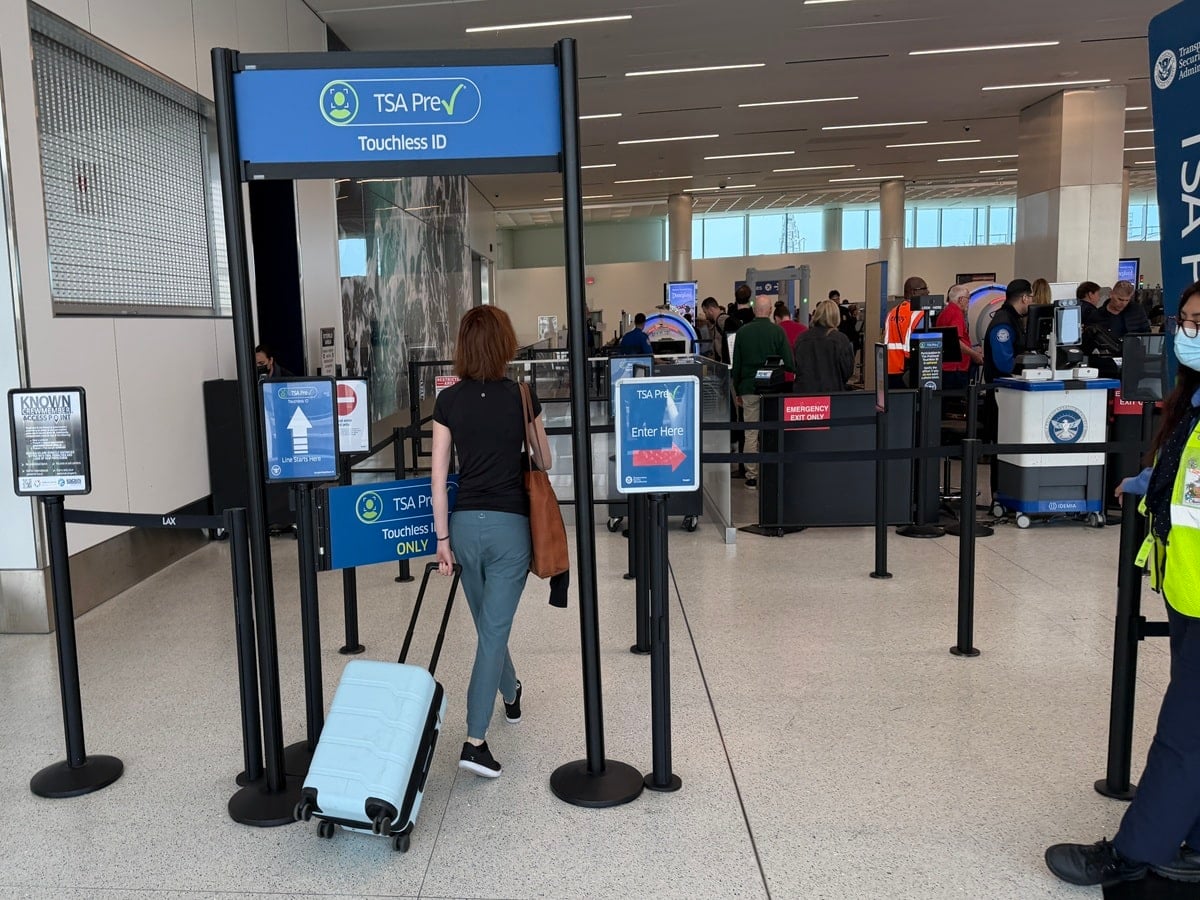 This summer, I was in Chicago with my family, which was also the last time I saw Bob in person. We were flying American Airlines from Chicago O’Hare (ORD) to Los Angeles (LAX) and arrived at Terminal 3 around 6:50 a.m. The airport was packed, which is never a welcome sight when you’re traveling with kids and trying to catch an early flight.
Fortunately, I had enrolled in TSA PreCheck Touchless ID. When I reached the entrance to the dedicated lane, the TSA officer checked my boarding pass to make sure it displayed the Touchless ID indicator. It did, so I was good to go.
Then I looked over at my wife and asked, “You didn’t register for Touchless ID, did you?” She gave me that deer-in-the-headlights, puppy-dog look I’ve grown to know so well. She’d forgotten to enroll.
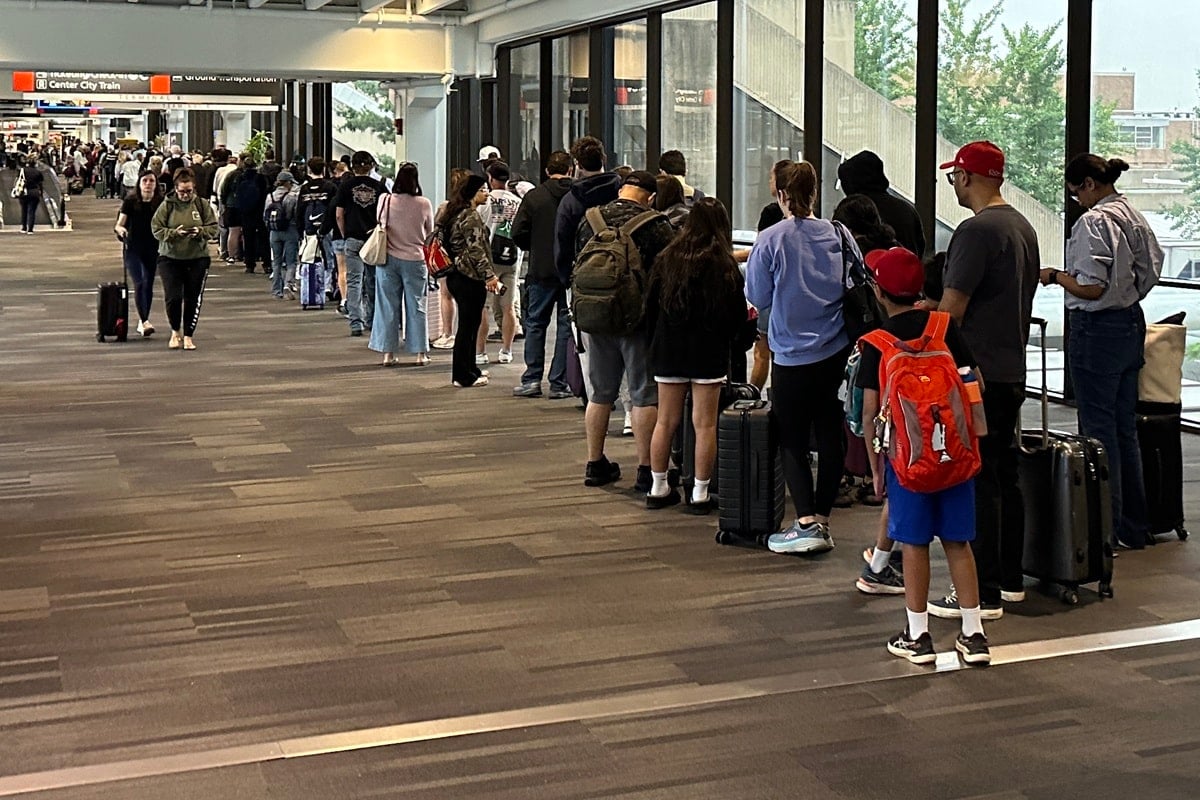
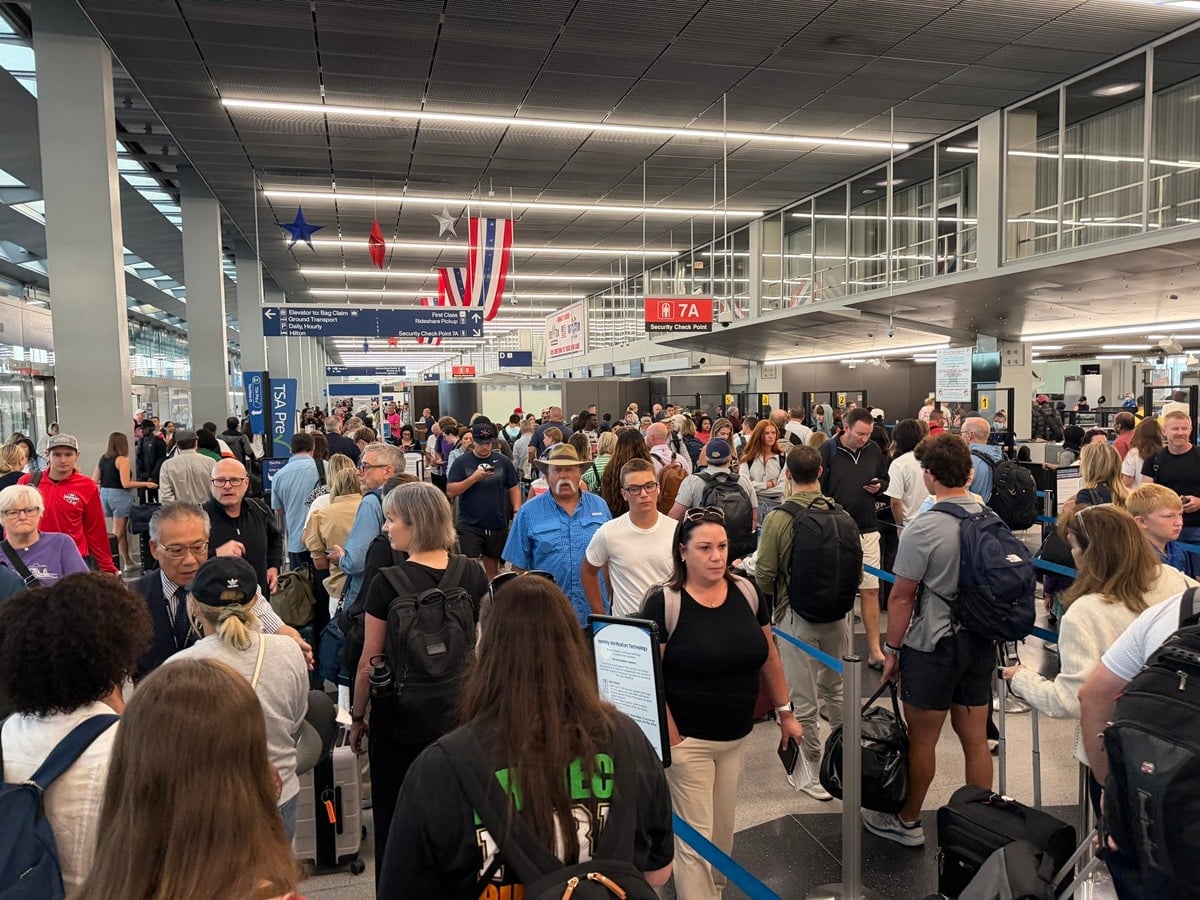 To make a long story short, I breezed through the Touchless ID lane in seconds while Natalie headed to the regular TSA PreCheck line. A few minutes later, she FaceTimed me in a panic because I had her bag with her passport. I initially thought she was exaggerating when she said the PreCheck line was insane. She wasn’t. See photo above.
The good news is that TSA officers were doing a great job keeping the line moving. Despite how long it looked, she made it through in about 20 minutes. Who knows how long the regular security line was?
That experience reminded me why I’ve become such a fan of TSA PreCheck Touchless ID. I’ve also used it at Los Angeles International Airport (LAX), Harry Reid International Airport in Las Vegas (LAS), Seattle-Tacoma International Airport (SEA) and Miami International Airport (MIA), and each time the identity verification process was incredibly quick and easy.
The best part? If you already have TSA PreCheck, Touchless ID doesn’t cost anything extra. You just need to opt in before your flight.
Here’s exactly how to do it.
What is TSA PreCheck Touchless ID?
TSA PreCheck Touchless ID is an optional biometric identity verification service that allows eligible travelers to verify their identity using facial recognition technology rather than handing over a physical ID at the airport security checkpoint.
Instead of fumbling around for your driver’s license or passport, you simply look into a camera. The technology compares your live image with government identification records to verify your identity. When everything works as intended, the process takes just seconds. You’ll still go through the normal TSA PreCheck screening procedures afterward, but the identity verification portion can be significantly faster.
According to TSA’s program information, the service is available at 65 airports, although availability depends on your airline, terminal and checkpoint.
How to sign up for TSA PreCheck Touchless ID: Step by step
The enrollment process is simple, but there are a few important details to get right. Here’s what to do before your next flight.
Step 1: Make sure you’re enrolled in TSA PreCheck
You must already be an active TSA PreCheck member to use Touchless ID. Having Global Entry also qualifies you if your membership includes TSA PreCheck benefits and your Known Traveler Number is correctly linked to your airline reservation. If you don’t have TSA PreCheck, you can apply through the TSA website.
Step 2: Make sure you have a valid passport
TSA PreCheck Touchless ID requires a valid passport. You’ll need to provide your passport information when enrolling through a participating airline, even if you’re only taking a domestic flight. Make sure your passport information is accurate and matches the information in your airline profile.
Step 3: Log in to your airline’s frequent flyer account
Sign in to your airline’s website or mobile app. Look for your personal information, travel documents, security information or TSA PreCheck settings. Participating airlines include American, Delta, United, Southwest, Alaska and Hawaiian, although participation and availability may vary by airport.
I recommend using a desktop browser if you have trouble finding the settings in your airline’s app. I’ve personally had better luck updating my American Airlines account through Chrome on my computer.
Step 4: Add your Known Traveler Number and passport information
Your airline profile should include:
- Your Known Traveler Number (KTN)
- Your valid passport number
- Your passport’s issuing country
Double-check everything. Incorrect or missing information could prevent Touchless ID from appearing on your boarding pass.
Step 5: Opt in to TSA PreCheck Touchless ID
This is the step many travelers miss, including my wife. Just because you’re enrolled in TSA PreCheck and have your passport information saved doesn’t necessarily mean you’re enrolled in Touchless ID. You must specifically select the option to opt in. Depending on your airline, this may be available in your frequent flyer profile or during check-in. Be sure to save your changes.
Important tip: American Airlines requires customers to opt in to TSA PreCheck Touchless ID every year, even if they’ve previously enrolled. Don’t assume you’re automatically signed up just because you used it on a previous flight. Check your American Airlines account before your next trip and make sure you’ve renewed your enrollment. If you have trouble updating your settings, try signing out and back in or using a desktop browser. I’ve personally had better luck using Chrome on my computer than the American Airlines app.
Step 6: Check your boarding pass for the Touchless ID indicator
This is probably the most important step of all. After checking in for your flight, open your mobile boarding pass and look for the TSA PreCheck Touchless ID indicator.
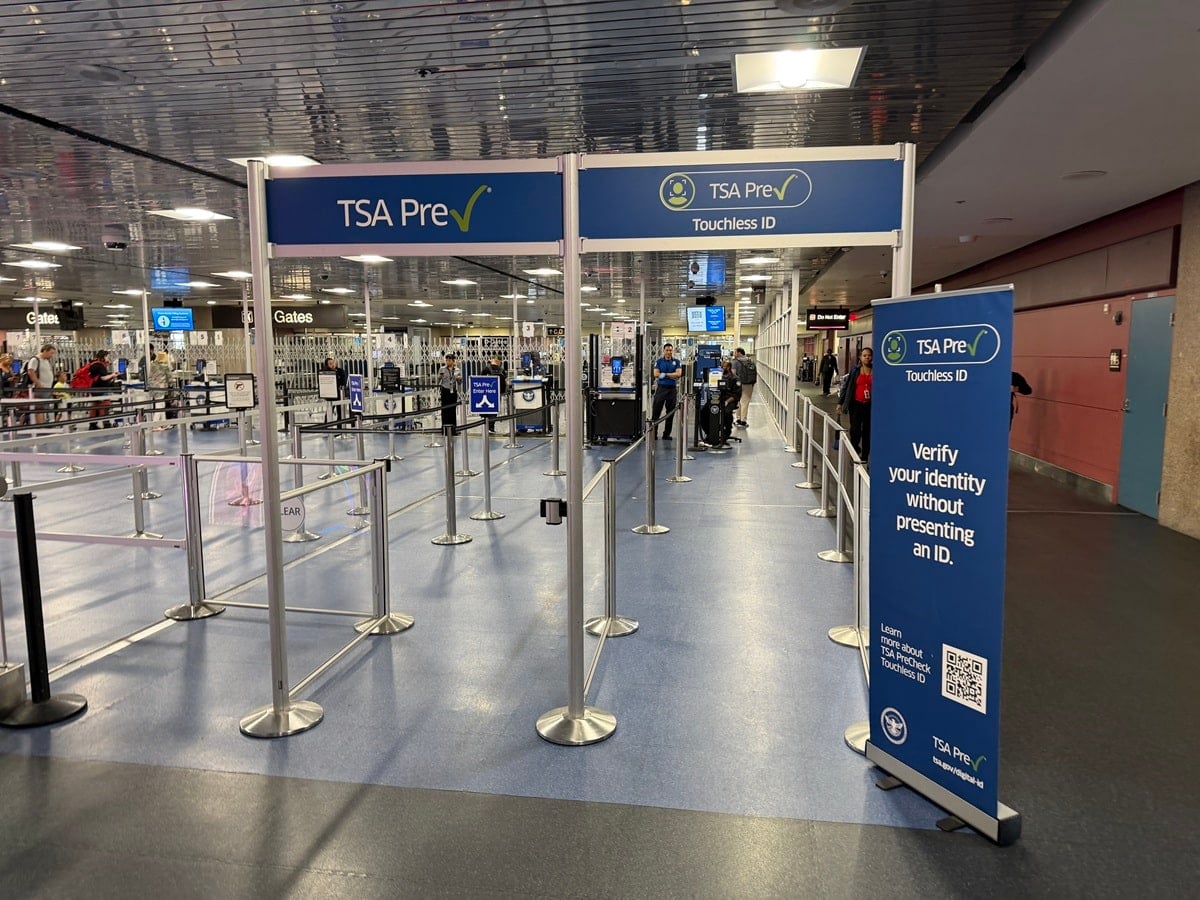 If the Touchless ID indicator doesn’t appear, don’t assume you’re eligible to use the dedicated lane.
At O’Hare, the TSA officer checked my boarding pass before allowing me into the Touchless ID line. Without that indicator, I would have had to use the regular TSA PreCheck lane. Also, don’t confuse the standard TSA PreCheck symbol with the Touchless ID indicator. They’re not the same thing. You can see the difference in the photo above that I snapped at Las Vegas’ Harry Reid International Airport (LAS).
Step 7: Look for the Touchless ID lane at the airport
Once you arrive at the airport, follow signs for TSA PreCheck Touchless ID. At the checkpoint, you’ll be directed to look into a camera so the system can verify your identity. If everything matches, you can proceed through security without having to present your physical identification during that verification step. It’s that easy.
However, TSA still requires travelers to carry an acceptable, REAL ID-compliant physical form of identification as a backup. You may be asked to present it if the technology is unavailable or additional verification is needed. I always carry my passport, even when flying domestically, so I know I have an acceptable form of ID with me.
You can also sign up through Google Wallet
Another option is to enroll through Google Wallet, which is especially useful for eligible travelers who prefer managing their travel documents digitally.
According to TSA, here’s how the process works:
- Create a Google ID pass in Google Wallet using your valid U.S. passport.
- Check in for your flight and save your boarding pass to Google Wallet.
- If eligible, look for the “Get started” option on your boarding pass.
- Follow the instructions to opt in and authorize the secure sharing of your Google ID pass and boarding pass information with TSA.
- Once TSA confirms your enrollment, the Touchless ID indicator should appear on your Google Wallet boarding pass.
Keep in mind that having a digital ID in Google Wallet alone doesn’t automatically enroll you in Touchless ID. You still need to complete the opt-in process.
Which airports offer TSA PreCheck Touchless ID?
TSA says Touchless ID is available at 65 airports across the United States. These include major hubs such as Los Angeles (LAX), Chicago O’Hare (ORD), Miami (MIA), New York’s JFK and LaGuardia, Atlanta (ATL), Dallas Fort Worth (DFW), Denver (DEN), San Francisco (SFO) and Seattle (SEA).
However, there’s an important catch: Just because an airport offers Touchless ID doesn’t mean it’s available at every terminal, checkpoint or for every airline.
Before heading to the airport, check with your airline to see whether Touchless ID is supported for your particular departure.
You can find the latest information on the official TSA PreCheck Touchless ID website.
Is TSA PreCheck Touchless ID safe?
I know some travelers are understandably concerned about facial recognition technology and privacy. According to TSA, the system uses facial comparison technology to verify travelers’ identities. TSA says images collected for this program are not used for law enforcement or surveillance and are not shared with other entities.
TSA also states that photos and personal data are deleted within 24 hours of the scheduled flight departure. Participation is voluntary, so if you’re uncomfortable using facial recognition technology, you can continue using traditional TSA PreCheck screening. You can read more about the program’s privacy protections on TSA’s official website.
Is TSA PreCheck Touchless ID worth it?
Absolutely, at least in my experience. I’ve been traveling extensively for decades, and anything that can make the airport experience faster and less stressful gets my attention. I’ve used TSA PreCheck for years, and Touchless ID takes the convenience a step further.
That morning at Chicago O’Hare was the perfect example. I sailed through the dedicated identity verification lane while my wife, who also has TSA PreCheck, had to wait in a much longer line simply because she hadn’t opted in.
Of course, Touchless ID isn’t a guarantee that you’ll never wait in line. Dedicated lanes aren’t always open, availability varies and you’ll still have to complete security screening. But when the service is available, it can make a noticeable difference.
My advice: Don’t wait until you’re standing at the airport to figure out whether you’re enrolled. Take a couple of minutes before your next trip to check your airline profile, opt in and confirm the Touchless ID indicator appears on your boarding pass.
And if you’re traveling with your spouse or other eligible family members, make sure everyone checks their own enrollment status. Trust me, it’s a lot more pleasant to go through airport security together than to find yourself on opposite sides of the checkpoint waiting for someone to catch up.
For more information and the latest participating airports, visit TSA.gov/touchless-id.