This article was produced in partnership with TESSAN and contains affiliate links. We may receive compensation if you click on or make purchases through those links.
Our phones have become one of the most important things we pack when we travel. It’s our map, camera, translator, boarding pass, wallet and connection to home, often all at once.
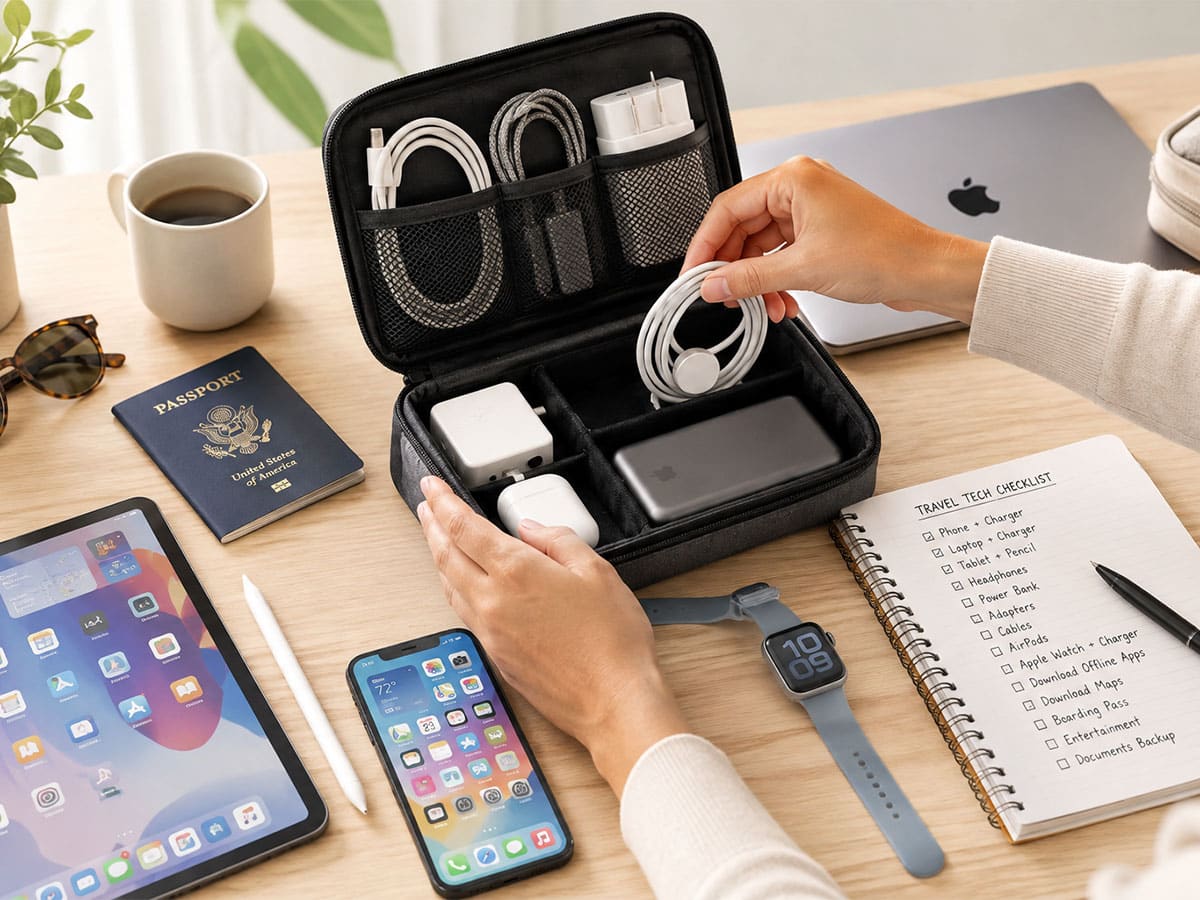
But all that convenience comes with a catch: Lose your connection, run out of battery or arrive at your international destination with the wrong plug adapter and suddenly several of your travel tools disappear at the same time. A little preparation before you leave home can help prevent those headaches. Here’s what to set up, download and pack before your next trip.
1. Download Maps Before You Leave
Don’t assume you’ll always have reliable data. Download offline maps for your destination before departure, including the airport or train station, your hotel and neighborhoods you plan to explore. Save important locations and screenshot the route from your arrival point to your accommodation. That gives you a back-up even if roaming fails.
Navigation can also drain your phone quickly, especially when combined with photos, mobile tickets and ride-hailing apps. Start each day with a full battery and have a reliable way to recharge at night.
For international trips, this universal travel adapter combines international plug compatibility with five USB ports, including three USB-C ports, making it a useful one-device solution for charging several travel essentials.
2. Download Translation Tools
A translation app can help with menus, signs, directions and everyday conversations. Download any available offline language packs before your trip so the app remains useful without cellular service.
Camera translation is particularly handy: Point your phone at a menu or sign instead of typing unfamiliar text. It’s also worth saving a few essential phrases, including how to ask for help or communicate an allergy, somewhere you can access offline.
3. Put Your Travel Documents in One Place
Create a dedicated digital folder for important documents and make essential files available offline. Include copies of your passport identification page, visa or entry authorization, transportation confirmations, hotel reservations, travel insurance details and rental-car bookings. Screenshot particularly important reservations for quick access. On your phone, take screenshots of this information and then ‘favorite’ the photos to easily find them in your Photos app.
Digital copies don’t replace originals when official documents are required but they can make retrieving important information much faster.
4. Secure Your Connection
If you plan to use airport, hotel or café Wi-Fi, install and test a reputable VPN before departure. Keep your devices updated, use unique passwords and enable multi-factor authentication on important accounts.
Travelers who work on the road should also think about power. A laptop, phone, headphones and smartwatch can quickly turn one hotel outlet into a charging bottleneck.
For a more power-intensive set-up, this 140W GaN universal travel adapter has three USB-C ports plus USB-A and is designed for travelers who need to charge higher-powered USB-C devices alongside everyday electronics.
5. Prepare for Two-Factor Authentication
Two-factor authentication protects your accounts but it can cause problems abroad if the only way to log in is through a text message sent to a number you can’t access.
Before leaving, check your email, banking, cloud-storage and travel accounts. Where available, set up an authenticator app, passkey or back-up codes so you have another way to verify your identity.
6. Back Up Your Photos
Losing your phone shouldn’t mean losing every photo from your trip. Enable automatic photo back0-up before departure and confirm that it’s working. If you’re conserving mobile data, set uploads to happen over trusted Wi-Fi.
If you’re traveling with a camera, you may want a second back-up to a laptop, tablet or portable storage device. The rule is simple: Don’t keep the only copy of an important photo on the device you carry around all day.
If several devices need to recharge while photos are backing up overnight, a compact charging station can help. This small flat plug power strip provides three AC outlets along with USB-A and USB-C ports, making it useful for turning a single accessible hotel-room outlet into a central charging spot.
7. Save Emergency Information Offline
Your emergency plan shouldn’t depend on having Wi-Fi … or even a cellular signal. Keep an offline note containing your hotel address and phone number, travel insurance information, emergency contacts and any relevant medical or allergy information you choose to carry.
For international travel, save contact information for your country’s nearest embassy or consulate. Also look up the local emergency number before arrival. It isn’t 911 everywhere.
8. Download Entertainment Ahead of Time
Flights, trains and hotels don’t always come with fast internet. Download movies, podcasts, playlists, audiobooks or e-books while you’re still connected to home Wi-Fi.
This is also a good time to streamline your cables. If your phone, tablet, e-reader and headphones all use USB-C, you may be able to carry fewer cables and chargers. Use a tech organizer like this one to keep those cords and cables organized and easy to access.
Travelers who primarily need to charge phones and smaller electronics may not need a high-wattage adapter. This 28W adapter for example, has three USB-C and two USB-A ports and can be a more streamlined option for a lighter digital kit.
9. Build Your Charging Kit Around Your Devices
Before packing, put every electronic device you plan to bring in one place: phone, watch, earbuds, tablet, e-reader, camera, laptop and power bank.
Then determine what each one actually needs. If several use USB-C, consolidate your cables where possible and consider whether one multi-port charger can replace several charging bricks.
For international travel, check both the plug type and voltage used at your destination. This is obviously important: A travel adapter changes the physical plug connection, but it does not automatically convert voltage.
Many universal adapters are designed around common Type A, C, G and I plug configurations, making them useful for multi-country itineraries. But travelers should still verify that the electronics they connect support the destination’s voltage before plugging them in. This voltage converter includes six international adapters so should cover you for many places your travels take you.
10. Carry Back-up Power
Travel days can be particularly demanding on your phone. Navigation, photography, translation, mobile boarding passes and ride-hailing can all eat into battery life. A portable power bank is a must; it provides a useful back-up when you’re away from an outlet. Charge it before departure and pack the correct cable.
If you’re flying, check your airline’s current rules for lithium-ion power banks. Capacity and carry-on restrictions apply and requirements can vary.
11. Create a Hotel-Room Charging Zone
Hotel outlets have an uncanny ability to be exactly where you don’t need them: behind the bed, underneath a desk or on the opposite side of the room. Instead of scattering devices across every available outlet, establish one charging spot for phones, watches, earbuds and cameras. It makes electronics easier to manage and harder to leave behind the next morning.
A compact power strip can be especially useful for couples or families sharing a room. This flat plug surge protector power strip can charge multiple devices from one wall connection and is compact enough to fit into a travel kit.
12. Do a Final Digital Check
The night before departure, run through your digital checklist one last time.
Make sure you have:
- Offline maps and translation tools
- Digital copies of important documents
- A tested VPN
- Back-up access for two-factor authentication
- Automatic photo back-up enabled
- Emergency information available offline
- Downloaded entertainment
- The correct charging cables
- A power bank, if needed
- A travel adapter appropriate for your destination
- Device-location and remote-lock features enabled
- Fully charged devices
Most importantly, test your charging set-up at home. Make sure your cables fit, your devices charge as expected and you haven’t packed three chargers when one multi-port adapter could do the job.
The perfect digital set-up isn’t about carrying more technology. It’s about making the technology you already depend on more reliable.
If your internet disappears, you should still be able to find your hotel. If your phone goes missing, your travel documents and photos should be backed up. And if you arrive somewhere with an unfamiliar outlet, you should already know how you’re going to keep your essential devices charged.