This article was produced in partnership with TESSAN and contains affiliate links. We may receive compensation if you click on or make purchases through those links.
Do you remember the days when forgetting your phone charger on vacation was merely a small inconvenience? Now, it can derail your entire day, maybe even your entire trip until you can finally reunite your phone with a compatible charger. We rely on our devices from the moment we leave home to the moment we return, whether we’re checking in for a flight, navigating an unfamiliar city or trying to find that hotel confirmation number we could have sworn we saved, highlighted, flagged or downloaded for future reference.
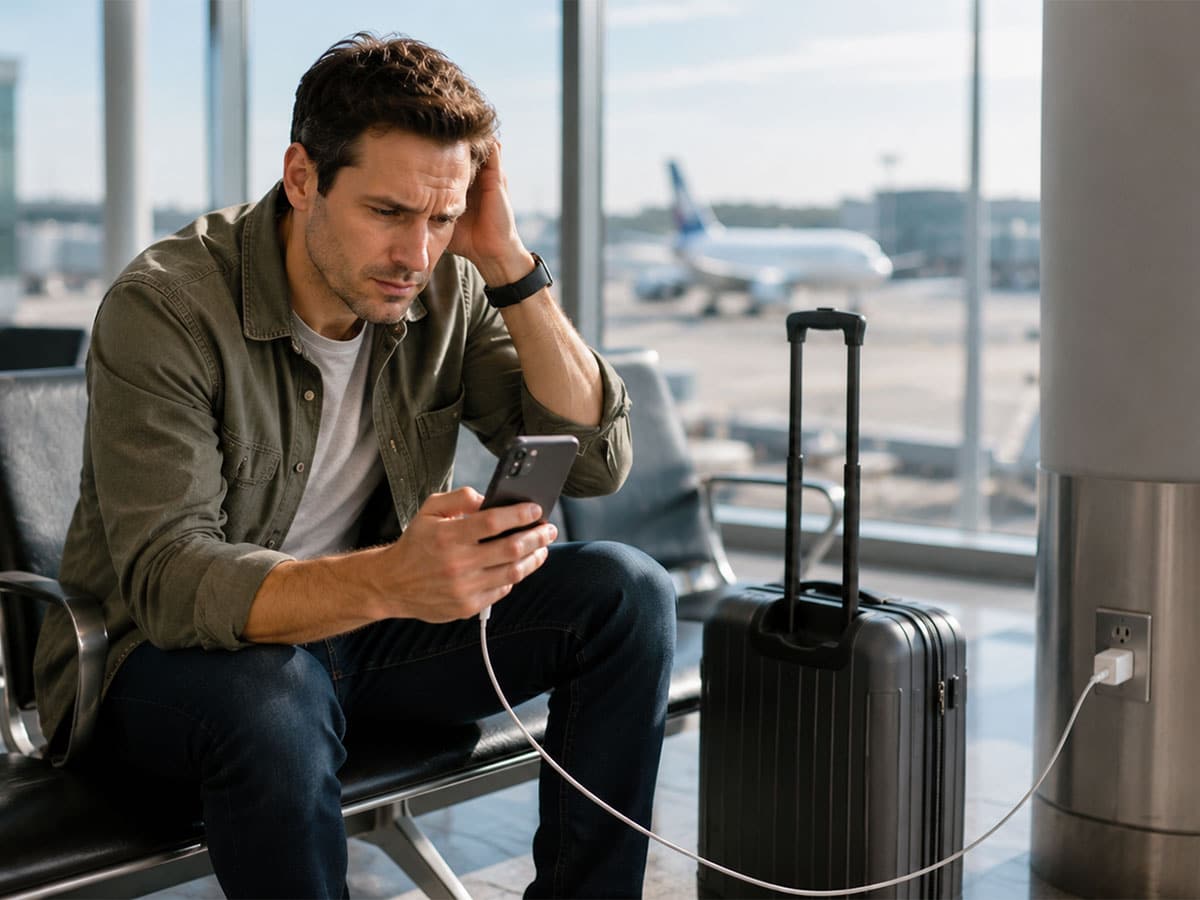
It’s no surprise then that we’ve developed plenty of rules about keeping those essential devices charged and working while we travel. Close your apps to preserve battery. Don’t leave your phone charging overnight. Avoid fast charging. Switch on Airplane Mode the second the cabin doors close. Some of that advice is sensible, some is outdated and some has been repeated so often that we don’t always stop to ask whether it was true in the first place.
Knowing which is which can make traveling a little easier and potentially save some space in your carry-on. Here’s what’s actually worth doing, what you can stop worrying about and the truth behind eight of the most persistent travel-tech myths.
Myth #1: Myth #1: You Should Regularly Close Your Apps to Save Battery
Seeing a long carousel of apps when you swipe up on your phone can inspire an irresistible urge to clear the decks. I mean, aren’t they all just chewing through your battery? Not necessarily. Modern smartphones are designed to manage apps and memory largely on their own. An app performing tasks in the background can still consume power but just because it appears in your recent-apps screen doesn’t mean it’s actively running or draining your battery.
Instead of compulsively swiping everything away, check your phone’s battery settings for the really power-hungry apps. On a long travel day, Low Power or Battery Saver mode, reduced screen brightness and limiting unnecessary background activity are likely to be much more useful.
Myth #2: Forgetting Airplane Mode Could Endanger the Plane
Few smartphone settings sound as consequential as Airplane Mode. Forget to switch it on before takeoff and it’s easy to imagine your cellular signal interfering with the cockpit at 35,000 feet.
The reality is more nuanced. Aviation rules surrounding portable electronics exist because of their potential to interfere with aircraft systems, but the FAA has also determined that most commercial airplanes can tolerate radio interference from personal electronic devices. That doesn’t make Airplane Mode optional: passengers should still follow their airline and flight crew’s instructions.
Airplane Mode also has uses after landing. When you’re hiking without coverage, crossing a remote region by train or spending hours somewhere with an unreliable mobile connection, your phone may expend energy searching for a signal. Switching off the cellular connection can help conserve power until you need it again.
Myth #3: Public USB Charging Ports Are Safe to Use
That USB port at the airport can feel like a godsend when your phone hits 6 percent. But there’s an important difference between plugging your own charger into an electrical outlet and connecting your phone directly to an unfamiliar USB connection.
USB can carry data as well as power, which means connecting your phone to an unfamiliar USB port can potentially allow it to interact with hardware you don’t control. That doesn’t mean public charging ports are inherently dangerous or that “juice jacking” is widespread but using your own charger and an AC outlet avoids that potential connection altogether.
The best thing to do is carry your own charging equipment and use an AC outlet when one is available. For international trips, the TESSAN 65W GaN Universal Travel Adapter combines USB charging with AC outlets and built-in Type A, C, G and I plug options. TESSAN says it can charge up to seven devices simultaneously, making it useful when several pieces of tech need topping up at once.
Myth #4: Fast Charging Damages Your Phone’s Battery
Fast charging means using a compatible, higher-powered charger to recharge your phone more quickly than a standard charger can. Your phone needs to support fast charging and you’ll also need a charger and cable capable of delivering it.
While it’s easy to assume that faster charging must be harder on the battery, modern phones are designed to manage the process. Charging speeds can change depending on factors such as how full or warm the battery is and a phone may slow or even pause charging if it gets too hot. Google, for example, notes that Pixel phones can automatically adjust charging to manage battery temperature.
For travelers, that means there’s no need to avoid fast charging simply because it’s fast. It can be particularly useful when you only have a short window to plug in at an airport or between stops. Use compatible charging equipment, keep your phone away from excessive heat and let the device handle the rest.
Myth #5: You Need to Pack a Separate Charger for Every Device You Travel With
Phone charger. Tablet charger. Laptop brick. Smartwatch cable. Earbuds cable. It doesn’t take long for a carefully packed carry-on to get a little crazy.
USB-C and modern multi-port chargers have made consolidation much easier. If your devices support compatible charging standards and your charger’s output meets their requirements, one capable charger can often replace several wall plugs.
This universal travel adapter, for example, includes three USB-C ports, two USB-A ports and two AC outlets, with one USB-C port capable of up to 65W when used on its own. You’ll still need the right cables and should always check the power requirements of laptops and other higher-draw devices but consolidating your chargers can mean less bulk and fewer things to leave behind.
Myth #6: A Travel Adapter and a Voltage Converter Are the Same Thing
Both solve what appears to be the same problem: my plug doesn’t work here. Electrically, though, they’re very different.
A travel adapter changes the physical connection so your plug fits a different socket. A voltage converter changes the electrical voltage supplied to a device. An adapter alone does not turn 220–240V electricity into 110–120V electricity.
Many modern phone, tablet and laptop chargers support a broad input range. Check the fine print: if your charger lists an input such as 100–240V, 50/60Hz, it is designed to accept voltages within that range, so you’ll generally need the appropriate plug adapter rather than a converter. Don’t assume the same is true of every appliance, particularly higher-powered items such as hair dryers.
The universal travel adapter supports 100–250V devices and common Type A, C, G and I sockets but note that it is not a voltage converter. Always check an appliance’s voltage rating before plugging it in abroad.
Myth #7: Your Hotel Room Will Have All the Outlets You Need
Technically, your hotel room probably has plenty of electricity. Whether any of it is located where you actually want it is another question.
Travelers know the routine: one outlet is occupied by a lamp, another is behind the television, and the socket closest to the bed is hidden behind a nightstand that can’t be moved, no matter how hard you try. Add a phone, smartwatch, earbuds, tablet and laptop (and maybe even a second traveler!) and even a modern hotel room can become an exercise in charging logistics. RELATED: Why Your Hotel Room Never Has Enough Outlets and the Simple Fix Smart Travelers Pack
A compact power strip can help turn one accessible hotel outlet into a designated charging spot instead of scattering devices around the room. The TESSAN 5-in-1 Travel Power Strip, for example, has three AC outlets and two USB ports, making it easier to keep several devices together. There’s a useful travel habit here, too: charge together, pack together. Keeping electronics and cables in one place makes the final hotel-room sweep much easier.
Myth #8: Charging Your Phone Overnight Will Damage the Battery
If you plug your phone in before bed and leave it there until morning, you don’t need to worry that you’re “overcharging” it. Modern smartphones are designed to manage charging automatically, so they don’t simply keep pumping power into the battery once it’s full.
Many phones go a step further and have features that learn your charging habits and adjust when and how quickly they charge. The idea is to have your phone ready when you need it without keeping the battery fully charged for longer than necessary.
What matters more is heat. Leaving your phone somewhere very hot or charging it under a pillow or heavy bedding is harder on the battery than simply leaving it plugged in overnight and can be dangerous.
So when you’re traveling, you don’t need to set an alarm to unplug your phone at 2 a.m. Charge it overnight and keep it somewhere cool and well ventilated.